Autumn Harvest Arrangement
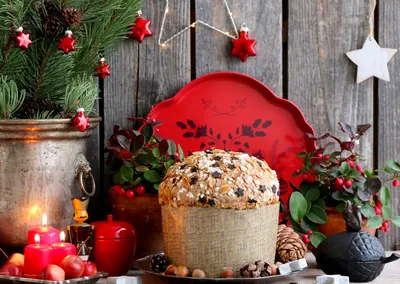
This image features an assortment of fruits and flowers arranged on a wooden surface with a rustic, natural theme. The fruits include a variety of apples, oranges, pears, and grapes, each displaying shades of red, yellow, orange, green, and purple. The flowers are predominantly in autumnal colors such as red, orange, and yellow, complemented by greenery that appears to be maple leaves or other similar foliage. The background is blurred but gives the impression of a wooden structure, possibly part of an outdoor setting.
To create a puzzle game image from this description, you would need to consider how to organize the elements in a way that encourages players to engage with them through solving puzzles. Here’s an example of what such an image might look like:
- Scatter the fruits and flowers across the image, ensuring that each piece is distinguishable from the others.
- Incorporate the wooden surface as a base layer for the puzzle pieces to be placed on.
- Create puzzle pieces by dividing each fruit and flower into smaller segments or by drawing around the individual objects to create separate puzzles.
- Add textual clues or numbers within the image, possibly representing points or goals for the players to complete in order to move through the game.
- Place a few challenge cards among the puzzle pieces, each containing a new puzzle task that requires players to use their wits and creativity to solve them. The challenges can range from identifying the specific type of fruit or flower, to creating a unique arrangement within the game board, to even solving a riddle related to the theme of the image.
- Design the layout in such a way that it doesn’t feel cluttered but offers an array of possible puzzle combinations for players to explore.
- Include visual elements such as autumn leaves and branches that can serve as additional decorative pieces or interactive components within the game mechanics.
The key to creating a successful puzzle game image from this description is to balance aesthetics with functionality, ensuring that the puzzles are engaging and challenging enough to keep players interested while maintaining a visually appealing layout that reflects the theme of autumnal abundance.
All-Time Fastest Players
Related Puzzles