
How to Play
/ controls & tips
- Move
- Drag a piece. It snaps into place when it fits.
- Preview
- Shows the finished picture.
- Ghost
- A faint copy of the picture on the board, to line pieces up.
- Border pieces
- Shows only edge pieces, so you can build the frame first.
- Arrange
- Spreads the loose pieces out around the board.
- Full screen
- More room on small screens.
- Difficulty
- Easy (about a dozen pieces) to Very Hard (about 100). Computers add Hardest, Expert and Master (about 300).
- Solve
- Places pieces for you. A run that used Solve does not count on the leaderboard.
- Free
- No download, no app, no sign-up.
About This Puzzle
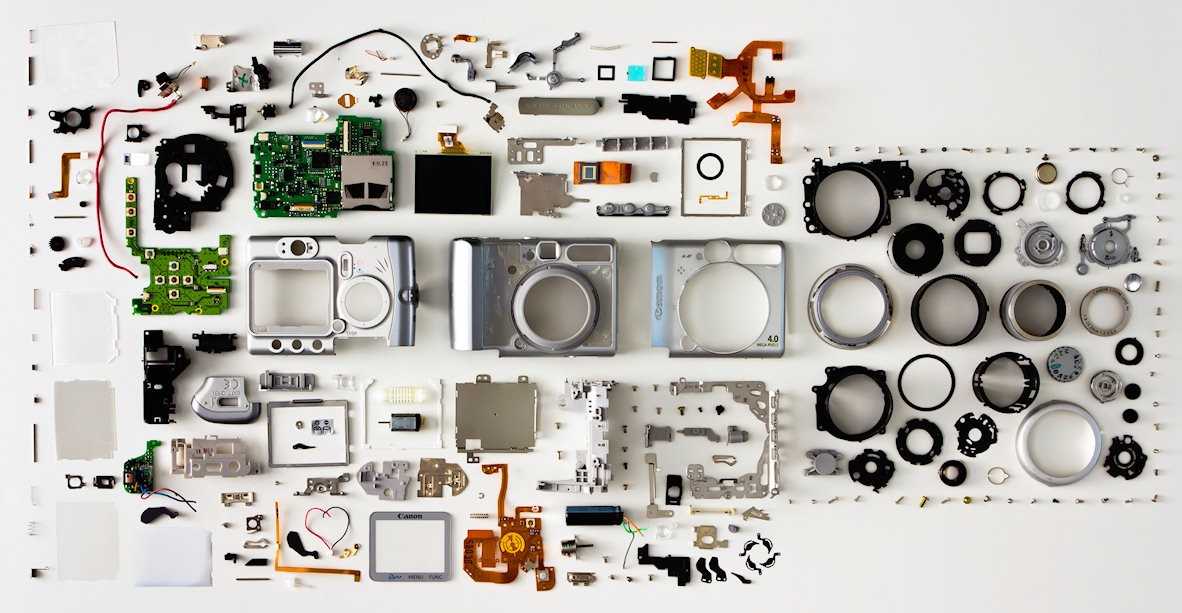
This picture shows a small digital camera that has been taken apart. Each piece is set out on a plain white surface in neat rows and groups.
Three silver camera bodies sit in the middle. A green circuit board, a black screen and orange ribbon cables are near the top left. Round black and silver lens rings fill the right side. Tiny screws and clips are spread around the edges. Some parts show brand words and the number 4.0.
Tips for solving this puzzle
- Start with the three silver camera bodies in the middle. Their size and color make them easy to place.
- The tiny screws and clips on white are the hardest area. Sort these pieces by edge shape, then by any dark part they hold.
- Easy and Medium suit new players because the big parts stand out. Higher levels have many pieces of plain white, so try them once you like detail.
Related guides: Tips for Solving Hard Jigsaw Puzzles Online
Put this puzzle on your website
Free for blogs, classrooms and newsletters. Paste this code into your page's HTML and visitors can play the puzzle right there.
All-Time Fastest Players
Be the first to set a time, sign in and complete this puzzle without the Solve assist.
Print & Solve by Hand
Print a cutting guide, cut out the pieces, and solve them with scissors and a steady hand.
Related Puzzles
View all →